

Shopify store redesign: what to plan before you change your theme

Photo: Polina Tankilevitch / Pexels
A Shopify store redesign works best when it solves a clear business problem. Before choosing a new theme, identify what customers struggle with today: finding products, understanding your offer, comparing options, or completing a purchase. A visual refresh can help, but it should support a better shopping journey.
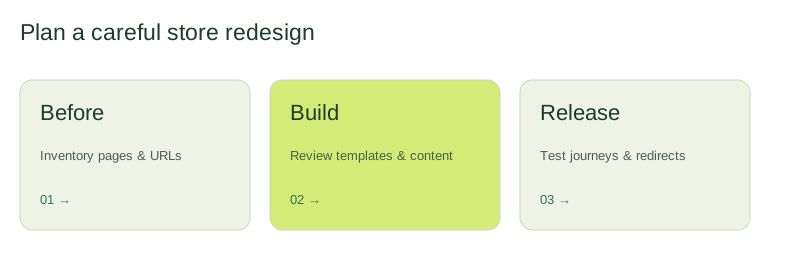
1. Start with the pages customers actually use
Review your analytics, search queries, and customer questions. List the pages that bring in relevant visitors and the steps where shoppers leave. Separate observations from assumptions: a low purchase rate could relate to shipping costs or product availability as well as the design.
- Which collections receive the most visits?
- Can customers find sizing, delivery, and return information?
- Are important product options easy to understand on a phone?
- Does your navigation reflect how customers browse?
2. Agree the scope before choosing a theme
Write down the templates and features your store needs. A homepage, collection page, product page, search results, and content pages each have different jobs. Include subscriptions, reviews, bundles, or other existing integrations in the inventory so they can be checked in the new design.
Decide which parts your team should edit without a developer. Reusable sections are helpful when they give you meaningful control without creating dozens of inconsistent layout choices.
3. Make product pages answer buying questions
Prioritize clear imagery, a useful product description, visible pricing, understandable variants, and an obvious add-to-cart action. Put delivery and return information where shoppers expect to find it. Use real reviews and accurate product details; avoid unsupported urgency or promises.
4. Plan SEO and redirects alongside the design
Record important URLs, titles, headings, and internal links before making changes. Keep useful content where it still serves the customer. When a URL must change, map the old page to the closest relevant new page and test the redirect. Sending every removed product to the homepage rarely helps someone looking for a particular item.
Shopify explains how to manage URL redirects. Review those steps as part of the launch plan rather than leaving them until after publication.
5. Test a complete shopping journey
Use an unpublished theme for development. Check navigation, filters, product variants, cart behavior, forms, and key app integrations at different screen sizes. Arrange an appropriate test checkout, then remove test settings before launch. Review large images and unnecessary scripts because they can make a visually attractive store feel slow.
6. Measure after launch
Record the launch date and monitor search performance, broken links, customer feedback, and the shopping funnel. Compare equivalent periods and account for campaigns or seasonal changes. A redesign is a starting point for improvement, not a guarantee of higher revenue.
Need help defining the scope? Explore our Shopify development and store redesign services, or compare the search priorities in our Shopify SEO checklist.