

Shopify collection page SEO: a practical optimization plan
Photo: Julio Lopez / Pexels
Plan collection pages around search intent, useful product organization, and clear internal links. A practical guide for Shopify merchants.
Start with the category your shopper needs
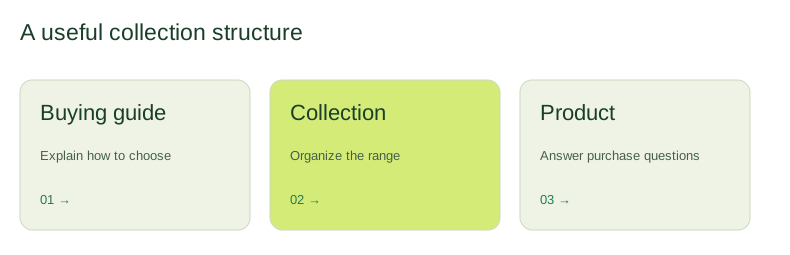
A collection page should make a buying decision easier. Before editing its title, ask what holds the products together: a use case, material, style, audience, or product type. A category that exists only to repeat a keyword often adds navigation clutter without helping a customer choose. Map the collection to a distinct shopping need and check whether another page already serves it.
Give each page a clear job
Build a small keyword map that pairs a primary topic with the collection best suited to answer it. Compare the products, language, and questions people use when discussing that category. Research helps prioritize; it does not establish a guaranteed traffic forecast. Keep informational questions in buying guides when a shopper needs explanation before a product grid. Connect those guides back to the relevant collection.
Write useful introductions and product context
Explain what customers can expect from the range and the criteria that help them select. A short introduction near the top can orient visitors, while more detailed advice can sit below the products. Include real differences such as materials, sizing, compatibility, or intended use where relevant. Avoid repeating identical paragraphs across collections. Write a concise page title and a description that accurately describe the offer.
Make the product grid and filters work together
Review sorting, product availability, filter labels, and how the grid behaves on a phone. Search and filtering should help customers narrow the range without hiding important information. Filter-generated URLs can need technical attention, particularly when many combinations produce very similar pages. Inspect actual URLs and canonical output before deciding on changes; blanket indexation rules can remove useful pages.
Connect collections to the rest of the store
Link to important collections from sensible navigation locations, related product pages, and relevant editorial content. Use descriptive link text that tells a visitor what comes next. Check that a discontinued collection has an appropriate destination before changing its address. Keep a record of the original URL, proposed destination, and implementation date for any redirect.
Measure page-level progress
Start with a baseline of search clicks, impressions, relevant queries, and organic landing-page conversions where tracking is available. Review changes over a meaningful period and account for seasonal demand, promotions, and stock changes. A higher impression count alone does not tell you whether visitors found the right products. Combine search data with customer behavior and practical feedback from your team.
Plan your next step
Explore our Shopify SEO service or complete SEO approach to turn these checks into a focused scope.
Further reading
Google’s SEO Starter Guide · Google’s spam policies · Shopify SEO overview